The Problem
If you’ve ever managed a Salesforce org of any meaningful size, you know the backup situation is… not great. Salesforce gives you Weekly Export, which is a manual process that dumps CSVs once a week. For anything more sophisticated you’re looking at commercial solutions like OwnBackup or GRAX, which charge per user per month and quickly add up.
I’ve seen the full spectrum. When I joined my current org, someone was manually downloading Weekly Export and dropping it on a file server. We moved to GRAX, which worked but cost a fortune at scale. After about a year of that I started building my own solution. It’s been running in production for years now, and I recently open-sourced it. Here’s the story of how it evolved.
The Bash & Python Era (2023)
The first version landed in June 2023. A bash script called sauron.bash (yes, the all-seeing eye — backup naming conventions are a thing) orchestrated the whole show. It used the Salesforce Bulk API to query every object, a Python script handled uploading CSVs to S3 and metadata to PostgreSQL, and the whole thing ran as an ECS Fargate task on a schedule.
It was actually more capable than your typical quick hack:
- Incremental backups — full backup on first run, then only changed records going forward
- Full ECS Fargate deployment with a CloudFormation stack from day one
- PostgreSQL metadata tracking for version history
- A Lambda function that could retrieve backup data and show diffs directly in Salesforce
Over the next months it got battle-tested. Security group tweaks, header case fixes, the usual production shakeout. It ran reliably for over a year.
But the “incremental forever” approach had a problem: you couldn’t delete old data. Every record ever backed up stayed in the database and S3 indefinitely. That’s a GDPR headache — when someone asks to be forgotten, you need to be able to find and remove their data.
In September 2024, after a 14-month gap of just running the thing, I added monthly periods (YYMM format). All data — S3 paths, database records, Salesforce tracking objects — was partitioned by period. Need to GDPR-purge data older than 12 months? Delete the period. Clean, surgical, and fast.
It worked reliably for a long time. But bash and Python have their limits:
- Error handling was fragile. A network blip in the middle of a Bulk API job meant manual recovery. Bash doesn’t give you great tools for retry logic and state management.
- ContentVersion downloads were slow. No deduplication — the same file attached to multiple records got downloaded and stored multiple times.
- The codebase was hard to extend. Adding features like archiving or a proper web GUI to a bash/Python combo is possible, but not fun.
- Checkpoint resume was basic. If the script crashed 90% through, you’d often lose more progress than you’d like.
The Rewrite (September 2023 - February 2026)
I decided to rewrite the whole thing properly. The goals were clear since I already knew what worked and what didn’t:
- Robust checkpoint resume that survives crashes, OOM kills, and container restarts
- ContentVersion deduplication — store each file once by checksum
- A proper web GUI for browsing history, viewing diffs, and restoring records
- Record archiving with configurable criteria
- Minimal running cost — a few dollars a month, not hundreds
I chose Java 21 with Spring Boot and Spring Batch. Spring Batch gives you chunk-based processing, checkpoint management, and retry logic out of the box — exactly the things that were painful to build in bash. The Salesforce Bulk API returns CSV, Spring Batch processes CSV, PostgreSQL stores metadata, S3 stores the raw data. Each component does what it’s good at.
The name changed from Sauron to Heimdall — the Norse god who stands watch on the Bifrost bridge, sees everything that happens, and never sleeps. A fitting name for a backup system that watches every change in your org.
I started the Java rewrite back in September 2023, building the Spring Boot skeleton, the Salesforce authentication flow, and the object metadata retrieval. I got to about 1,500 lines of working Java — enough to log in, describe all objects, and prove the architecture — before real life got in the way. The project sat untouched for two years.
In October 2025 I dusted it off and brought Claude Code into the project. The combination turned out to be remarkably effective: I had the domain knowledge and the battle scars from running the bash version in production for two years, and Claude had the stamina to churn through thousands of lines of Spring Batch plumbing. Having the old bash/Python codebase as a reference was invaluable — Claude could study how edge cases were handled (like Salesforce silently changing header casing after our Hyperforce migration) and carry those lessons into the new implementation without me having to enumerate every quirk from memory.
The numbers tell the story: the pre-Claude codebase was 1,455 lines of Java across a handful of files. Today it’s nearly 9,000 lines across 36+ source files, with features like ContentVersion deduplication, dynamic batch sizing, pipelined query execution, a full web GUI, and CloudFormation deployment — things that would have taken me months of evenings and weekends to build solo.
How It Works
Heimdall runs in two modes:
Batch mode is the backup engine. It runs as a scheduled ECS Fargate task (or a k8s cron job, or just java -jar on a server). It queries every object in your org via the Bulk API, stores record metadata in PostgreSQL, and uploads full CSV data to S3.
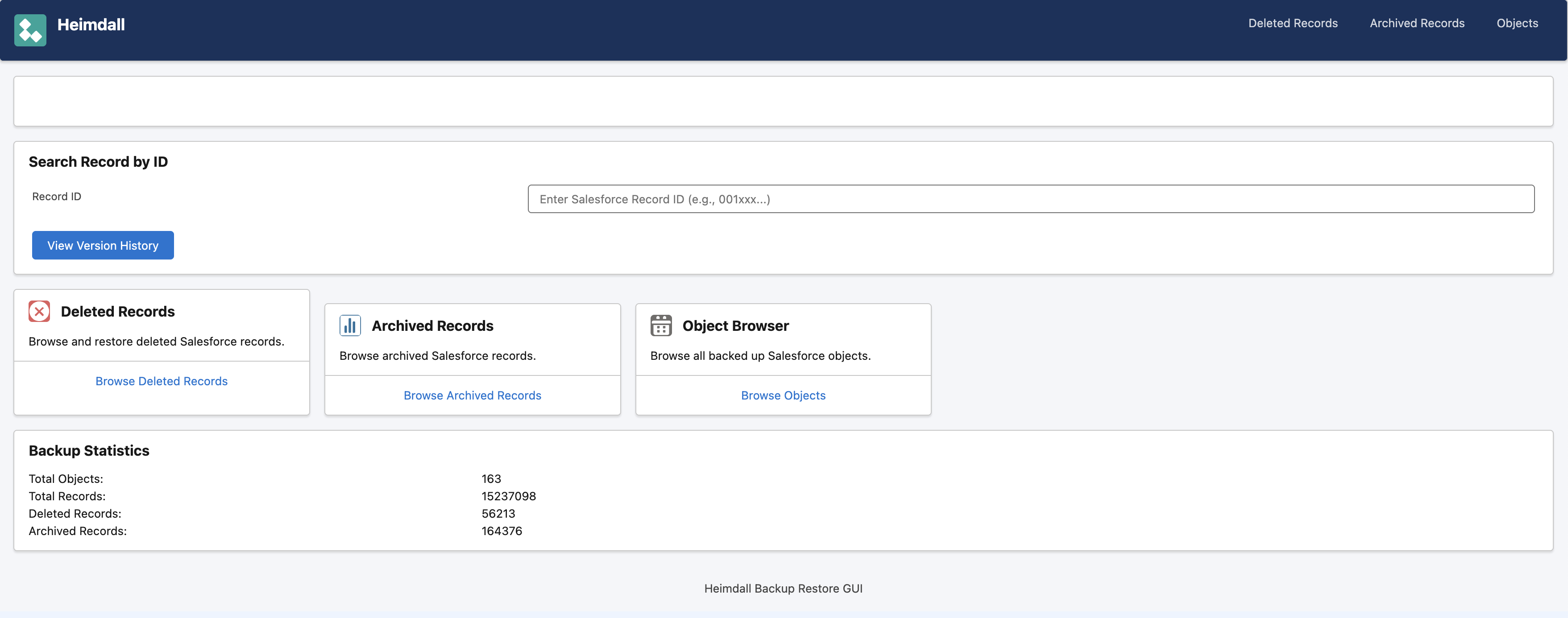
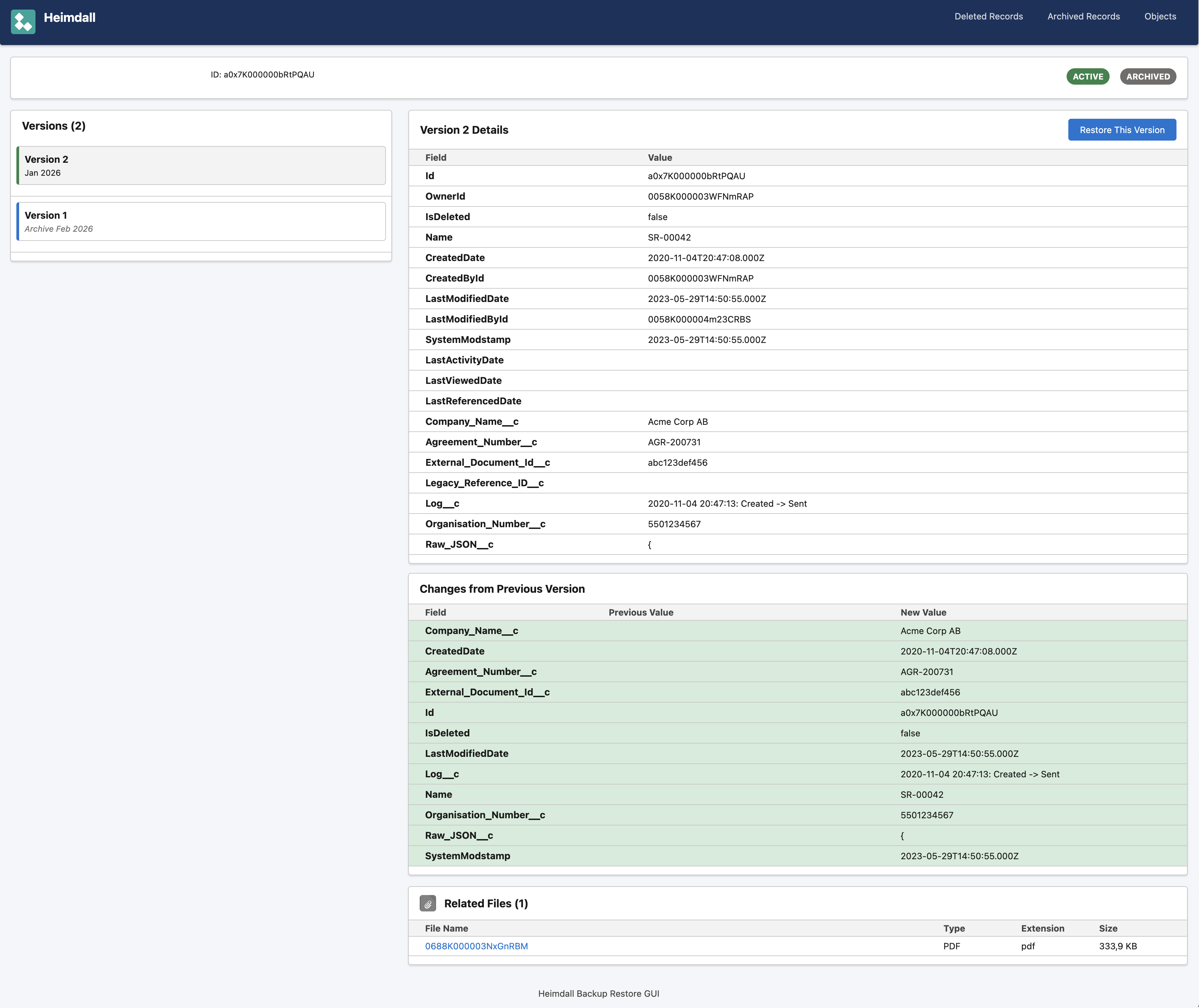
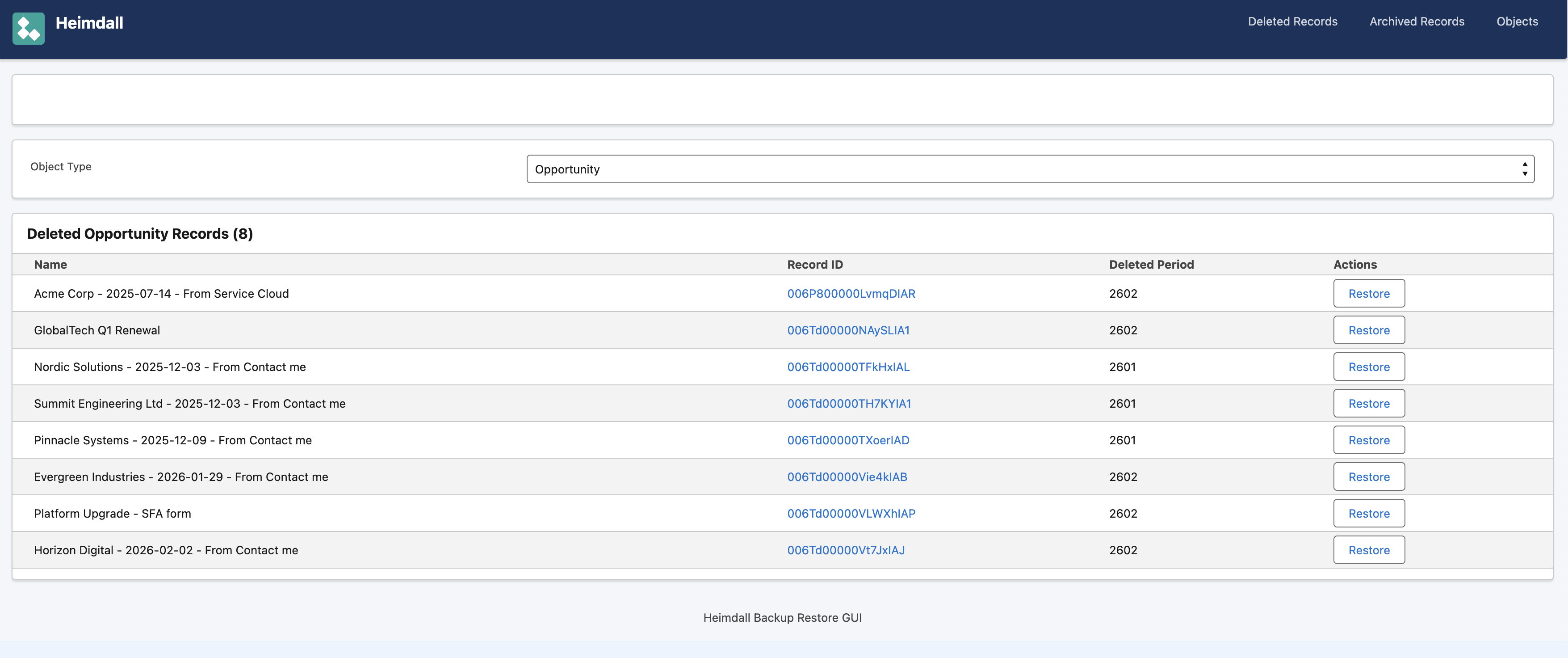
Web mode is the restore GUI. A Spring Boot web app using the Salesforce Lightning Design System. You can search for any record by ID, see its complete version history across all backup periods, view field-by-field diffs between versions, browse deleted and archived records, and see related child records and files.
The Optimizations
Getting the performance right was the fun part. A few things that made a big difference:
Dynamic batch sizing. The Salesforce Bulk API has a sweet spot. Too small batches (5K records) and you’re spending all your time on API overhead. Too large (200K+) and you risk timeouts. Heimdall starts at 50K and adapts based on response times — if queries return fast, it bumps up the batch size. If they’re slow, it backs off.
ContentVersion deduplication. Salesforce stores files with a checksum. Heimdall uses content-addressable storage — each file is stored once by its checksum, regardless of how many records reference it. On one org with 3.5 million ContentVersions, this saved 320 GB out of 830 GB total — a 38% reduction. And the backup runs much faster since you skip downloading files you already have.
Checkpoint resume. Every few files, the backup writes a checkpoint to PostgreSQL with the last processed record ID and timestamp. If the process dies for any reason, the next run picks up exactly where it left off. No wasted work.
RDS On-Demand Lifecycle
Here’s a neat trick for keeping costs down. The PostgreSQL database only needs to be running during backups (~20 minutes to a couple of hours depending on org size) and when someone’s using the GUI. That’s maybe 2-3 hours a day total. Running a db.t4g.medium 24/7 costs about $50/month. Running it on-demand costs $3-4/month.
Heimdall has a service that automatically starts the RDS instance before it’s needed and stops it when done. It’s controlled by a single environment variable. Without it, the feature is a complete no-op — local development and non-AWS deployments are unaffected.
What It Costs
Running Heimdall for a mid-size org on AWS:
- S3 storage: A few dollars/month (auto-transitions to Infrequent Access after 30 days)
- RDS PostgreSQL: $3-5/month on-demand
- ECS Fargate: Pay per backup run, pennies per execution
- Total: Roughly $5-15/month
Compare that to commercial solutions that charge $3-5 per user per month. For an org with 200 users, that’s $600-1000/month vs $15/month.
The Archive Feature
One thing I wanted that most backup solutions don’t do well is archiving. In Salesforce, old records eat into your storage quota and slow down queries, but you can’t just delete them — you might need them for compliance or auditing.
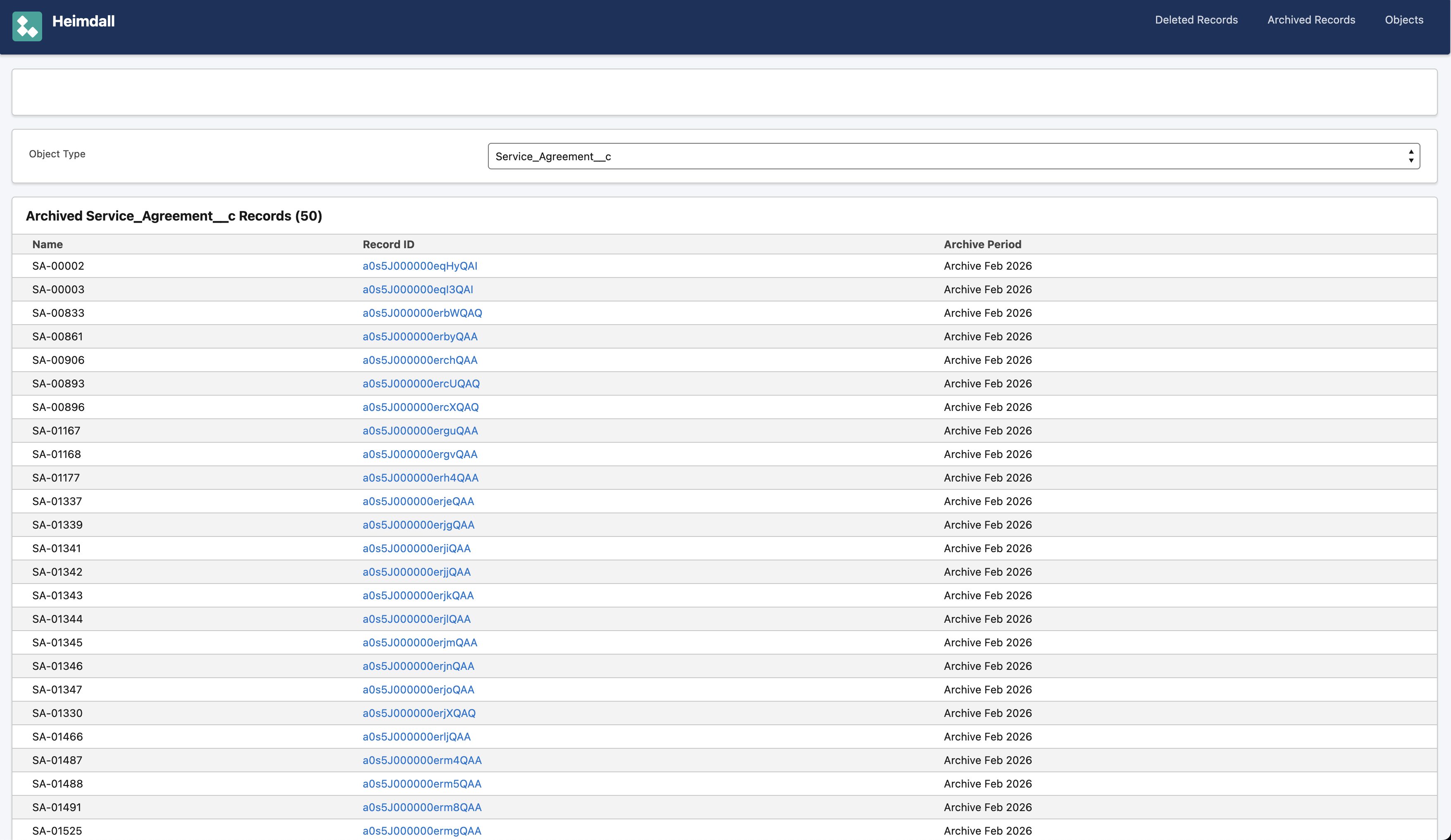
Heimdall lets you configure archiving per object with an age threshold and an optional SOQL expression filter. Records matching the criteria are backed up to a special archive period, and optionally deleted from Salesforce after verification. The archived data is browsable in the same GUI as regular backups — no separate “archive viewer” needed.
Open Source
Heimdall is released under the AGPL-3.0 license. You can run it yourself, modify it, and deploy it for your own org for free. If you run a modified version as a hosted service, you need to release your changes — which is the point. The community benefits from improvements, and nobody can take the code and sell it as closed-source SaaS without contributing back.
The code is on GitHub: github.com/devrandom-se/heimdall
It includes a CloudFormation template for one-command AWS deployment, helper scripts for database tunneling and Docker builds, and a web GUI that works out of the box.
What’s Next
There’s a roadmap with planned features:
- Pluggable storage backends (Azure Blob, GCS, local filesystem)
- Retention policies with GDPR-compliant automatic cleanup
- Salesforce OAuth login for the GUI
- Salesforce LWC component for viewing backup data directly in the Salesforce UI
If you’re running a Salesforce org and paying too much for backups (or worse, not backing up at all), give Heimdall a try. And if you want to contribute — storage backends, testing, documentation, or just feedback — PRs are welcome.
Cheers, Johan